Most startup MVPs don't fail because the idea was bad. They fail because the build took nine months, the money ran out at month seven, and the product that finally launched solved a problem the founder had imagined, not one customers had.
Sixty days is enough to ship a real, usable first version. It isn't enough to build everything. The founders who hit that date are the ones who cut hard in week one.
Here's a week-by-week plan we use with startups across Delhi, Noida and Gurgaon, plus the decisions that make or break the timeline.
What an MVP Actually Is
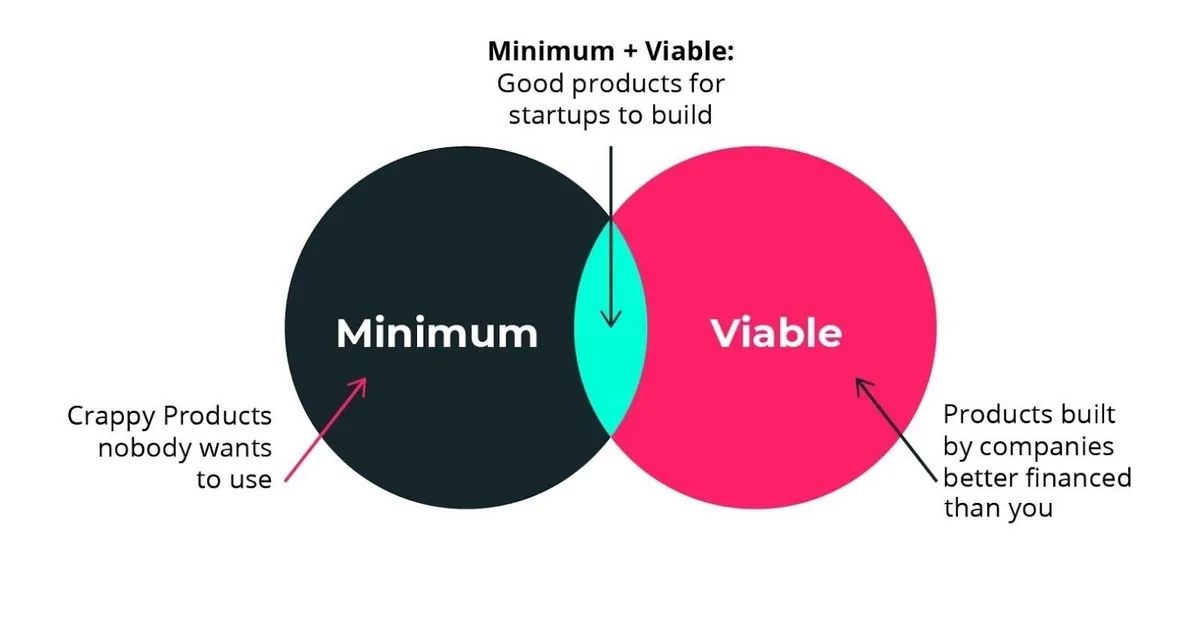
An MVP isn't a rough version of your full product. It's the smallest thing that lets a real user complete one valuable task, so you can learn whether they'd pay for it or come back.
If you're building a food delivery app, the MVP isn't ratings, loyalty points, referrals and a rider app. It's one cloud kitchen, one area, one menu, UPI payment and a WhatsApp number for support. Everything else waits.
The 60-Day Plan
| Weeks | Focus | Output |
|---|---|---|
| 1 | Scope and decisions | One-page problem statement, user flow, cut list, tech choice |
| 2 | Design | Clickable prototype tested with 5 real users |
| 3 to 6 | Build core | Auth, the one main flow, payments, admin basics |
| 7 | Testing and fixes | Bug fixes, device testing, performance, security basics |
| 8 | Launch prep and soft launch | Live product, analytics, 10 to 30 real users |
| 9 | Learn and fix | Feedback sessions, first iteration list |
That leaves a few days of buffer, which you'll use. Something always slips.
Week 1: Decide what not to build
Write down the single sentence your product delivers: "A [specific user] can [do one thing] in [short time]." Then list every feature you've imagined and mark each as must have, nice to have or later. Be ruthless: if a user can complete the task without it, it's not a must.
Make these calls now, because they're expensive to change later:
- Web app, mobile app or both? For many B2B and service products, a mobile-friendly web app ships in half the time. If you need the app stores, a cross-platform build saves real money. See Flutter versus native costs.
- Build, buy or integrate? Don't build login, payments, email or chat from scratch. Use Razorpay for payments, a managed auth service, WhatsApp API for messages.
- Who is your first 20 users? Name them. If you can't, your launch isn't ready.
Week 2: Design, but test it cheaply
A clickable prototype in Figma costs a fraction of code. Put it in front of five target users and watch them try to finish the task. Where they hesitate is where your product is broken. This is the cheapest bug fixing you'll ever do. Good UI/UX design at this stage saves weeks later.
Weeks 3 to 6: Build in thin slices
Don't build the database, then the backend, then the screens. Build one complete path first: sign up, do the main task, pay, see the result. Ship it to a staging link by the end of week 4 so you can click through the real thing.
Rules that keep the schedule honest:
- Demo working software every week. If there's nothing to demo, you're behind.
- Freeze scope after week 3. New ideas go in a "version 2" list.
- Avoid custom everything. A standard admin panel is fine for the first 100 users.
A Sensible MVP Codebase
You don't need a complex architecture. One Next.js app with a clear structure is enough for most MVPs, and it can run both your marketing site and your product.
app/
  (marketing)/        landing page, pricing, blog
  (app)/              logged-in product screens
    dashboard/
    orders/
  api/
    orders/route.ts   create and list orders
    webhooks/         payment and WhatsApp callbacks
lib/
  db.ts               database client
  auth.ts             session helpers
  validators.ts       input schemas
And input validation on every route that accepts data. Skipping this is the most common shortcut that bites after launch.
// app/api/orders/route.ts
import { NextResponse } from "next/server";
import { z } from "zod";
import { getSessionUser } from "@/lib/auth";
import { db } from "@/lib/db";

const OrderInput = z.object({
  items: z
    .array(z.object({ sku: z.string().min(1), qty: z.number().int().min(1).max(50) }))
    .min(1)
    .max(30),
  pincode: z.string().regex(/^[1-9][0-9]{5}$/, "Enter a valid 6-digit pincode"),
});

export async function POST(request: Request) {
  const user = await getSessionUser(request);
  if (!user) {
    return NextResponse.json({ error: "Please log in" }, { status: 401 });
  }

  const parsed = OrderInput.safeParse(await request.json());
  if (!parsed.success) {
    return NextResponse.json(
      { error: "Invalid order", details: parsed.error.flatten() },
      { status: 400 },
    );
  }

  const order = await db.order.create({
    data: { userId: user.id, ...parsed.data, status: "pending_payment" },
  });

  return NextResponse.json({ id: order.id }, { status: 201 });
}
It's plain code, which is the point. Boring and tested beats clever and fragile when you have 60 days.
What to Include From Day One
Some things feel like extras and aren't:
- Analytics. Know how many people sign up, finish the main task and return. Without this, "learning" is guesswork.
- Error monitoring. You want to hear about a crash before the user does.
- Backups. One database failure and you've lost your first customers.
- A feedback channel. A WhatsApp number or in-app form. Early users will tell you what they need.
- Basic security and privacy. Hash passwords or use managed auth, use HTTPS, collect only the data you need. If you handle personal data, the Digital Personal Data Protection Act applies to you, even as a small startup.
What to Leave Out
- Admin dashboards with charts. Use your database tool or a spreadsheet export.
- Multiple languages, unless Hindi or another language is the product.
- Referral systems, gamification and loyalty points.
- Complex user roles. Start with two: user and admin.
- Perfect scaling. A modest server will handle your first thousand users.
What It Costs
Delhi NCR ranges for 2026, for a focused first version:
- Web MVP, one core flow: ₹2,00,000 to ₹6,00,000
- Cross-platform mobile MVP (Android and iOS): ₹4,00,000 to ₹10,00,000
- Running costs after launch: hosting, monitoring and tools usually run ₹10,000 to ₹40,000 a month. See what app maintenance costs.
Beware of fixed quotes that look too low. Ask what is excluded: design, testing, admin, store submission and post-launch fixes are common gaps.
Common Reasons 60 Days Becomes 6 Months
- A founder who changes direction weekly
- Waiting days for feedback or approvals
- Adding "just one more feature" before launch
- Choosing a team that doesn't give weekly demos
- Third-party approvals (WhatsApp Business API, payment gateway KYC, app store review) started too late. Begin them in week 1 because they run on their own timelines.
What To Do Next
Take one hour this week and write your one-sentence product, your cut list and your first 20 users. If you can't do that, no developer can fix it for you. If you can, you're closer to launch than you think.
INDOTREX works with early-stage teams across Delhi NCR on Android, iOS and web MVPs, and we start every engagement by cutting scope before writing code. Bring your idea to a short call and we'll tell you honestly what fits in 60 days. Contact us.