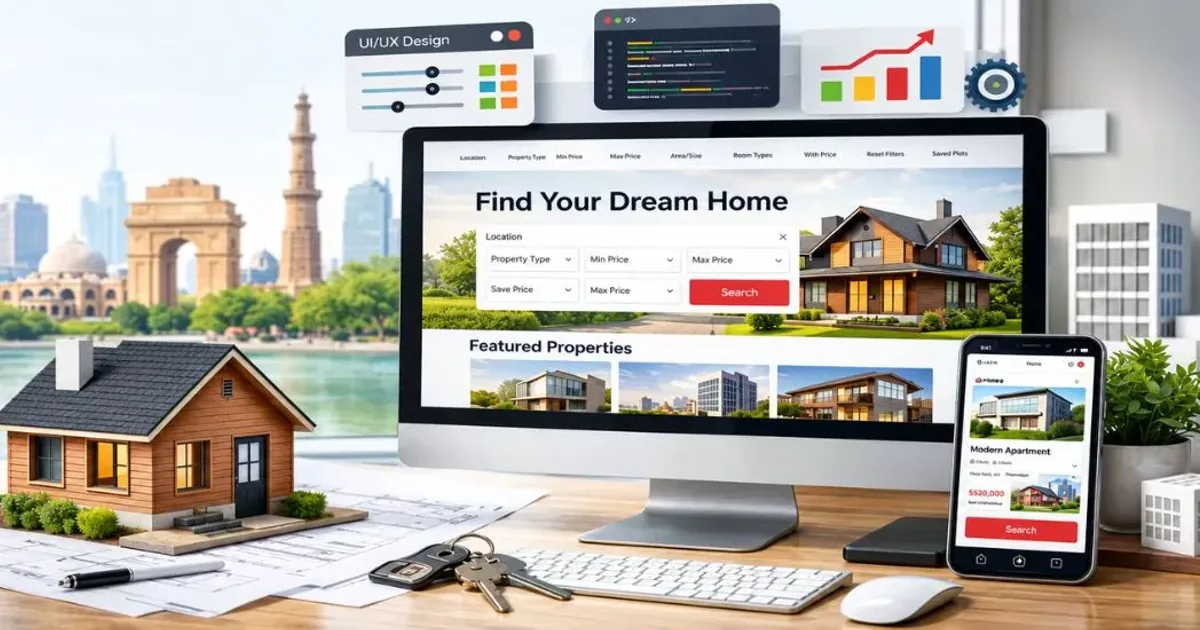
A buyer in Sector 150 Noida doesn't start with a broker anymore. They start with Google, then a couple of portals, then a builder's own site to check the floor plan and RERA number. If your site is slow, thin or vague, they go back to the portal, where your listing sits next to ten competitors.
For builders and brokers across Noida, Gurgaon and the rest of NCR, your own website is the one place where the lead belongs to you. No portal fee per enquiry, no competitor ad under your project name.
Here's what a real estate website has to do, feature by feature, and what separates one that generates site visits from one that just looks nice.
Start With How Buyers Actually Search
Real estate searches are local and specific. People type things like:
- "3 BHK flat in Sector 62 Noida under 1.2 crore"
- "ready to move apartments Golf Course Extension Road"
- "RERA approved plots near Jewar airport"
- "commercial office space in Cyber City Gurgaon"
Each of those is a page you can rank for. A site with one generic "Projects" page can't. A site with a page per project, per locality and per property type can.
Features You Can't Skip
Project pages that answer every question
Each project needs its own page with price range, configurations, possession date, amenities, location map, floor plans and a RERA registration number shown clearly. Buyers in the NCR market have seen enough delayed projects. A visible RERA ID is a trust signal, and it's also a legal requirement in advertising. Link to the state RERA registration (UP-RERA for Noida, HRERA for Gurgaon) so buyers can verify it themselves.
Search and filters that work on a phone
Filter by locality, budget, BHK, possession status and property type. Most property searches happen on mobile, so the filters must be thumb-friendly and fast. If filtering reloads the whole page, people leave.
Lead capture at every step
Don't hide the enquiry form on a contact page. Put it where interest peaks:
- "Get price sheet" on the project page
- "Book a site visit" with a date and time picker
- "Download brochure" behind a short form
- A sticky call and WhatsApp button on mobile
Every form should also push to your CRM and trigger an instant WhatsApp message. Lead response time decides who gets the site visit. We cover the automation in our WhatsApp API guide.
Virtual tours and real photography
Walkthrough videos and 360 views cut down wasted site visits. Real photos of the actual towers, not stock images, build more trust than any copy you write.
EMI and cost calculators
A simple EMI calculator keeps people on the page. Add stamp duty and registration estimates and you've built something worth bookmarking.
Broker and channel partner login
If you work with brokers, give them a private area with inventory, price lists and brochures. It stops the "send me the latest rates" calls.
The SEO Setup That Brings Free Leads
Paid ads for real estate in NCR are expensive. Organic traffic is where a good website earns back its cost.
| Page type | Example target | Why it works |
|---|---|---|
| Project page | "[Project name] Sector 150 Noida price" | Captures buyers already researching you |
| Locality guide | "Living in Sector 150 Noida: connectivity, schools, price trends" | Brings in early-stage buyers |
| Property type page | "3 BHK flats in Noida Expressway" | Ranks for high-intent searches |
| Builder or brand page | "[Builder name] projects and delivery record" | Builds trust, and shows up in brand searches |
Add your Google Business Profile with the sales office address, and keep name, address and phone identical everywhere. Our post on choosing an agency in your own neighbourhood goes into local listing basics.
Structured Data for Property Listings
Search engines read structured data to understand what a page is about. For a project or listing, add JSON-LD. Here's a reusable component in Next.js.
// components/ProjectSchema.tsx
type Project = {
  name: string;
  slug: string;
  locality: string;
  city: string;
  minPrice: number;
  maxPrice: number;
  reraId: string;
  image: string;
};

export function ProjectSchema({ project }: { project: Project }) {
  const data = {
    "@context": "https://schema.org",
    "@type": "Residence",
    name: project.name,
    url: `https://www.example.com/projects/${project.slug}`,
    image: project.image,
    address: {
      "@type": "PostalAddress",
      addressLocality: project.locality,
      addressRegion: project.city,
      addressCountry: "IN",
    },
    additionalProperty: {
      "@type": "PropertyValue",
      name: "RERA Registration",
      value: project.reraId,
    },
    offers: {
      "@type": "AggregateOffer",
      priceCurrency: "INR",
      lowPrice: project.minPrice,
      highPrice: project.maxPrice,
    },
  };

  return (
    <script
      type="application/ld+json"
      dangerouslySetInnerHTML={{ __html: JSON.stringify(data) }}
    />
  );
}
Treat structured data as support, not a ranking guarantee. It helps search engines read the page and can unlock richer results. It won't fix a slow or thin page.
Speed Matters More Here Than You Think
Property pages are image-heavy: galleries, floor plans, videos. That's exactly where slow sites die. A buyer scrolling through a gallery on a 4G connection near Greater Noida will leave if photos take five seconds to appear. Optimised image delivery, lazy loading and a fast framework are essentials. We explain the specifics in Core Web Vitals and Next.js.
Mistakes That Cost Leads
- A PDF brochure as the only information. Search engines and phones both handle PDFs poorly.
- No clear price range. "Price on request" loses people who are comparing five projects at once.
- Forms asking for ten fields. Name, phone and budget is enough for a first touch.
- Leads sitting in an inbox. If nobody calls within 10 minutes, a portal competitor will.
- Copying content from another builder. Duplicate text won't rank, and buyers notice.
What It Costs
INDOTREX starting prices:
- Static project microsite (a few pages with price sheet, floor plans and enquiry form): from ₹5,000
- Dynamic builder or brokerage website (project pages, search, filters and lead capture): from ₹25,000
- Full property portal (listings, agent logins, admin and CRM integration): quoted after scoping
"From" means the entry point for a clearly defined scope. The final quote depends on the number of projects, filters, integrations and content, and you get it itemised in writing before work starts. Our Delhi NCR pricing guide explains what moves the number.
Budget separately for photography, drone footage and ongoing SEO content. Those often drive results more than the code does.
What To Do Next
Before you speak to any agency, list your top three projects and the three searches a buyer would use to find each. That tells you what pages the site needs.
INDOTREX builds dynamic websites and lead systems for real estate teams in Noida, Gurgaon and across Delhi NCR, with CRM and WhatsApp follow-up wired in from the start. If you're planning a new project launch or tired of paying portals for your own leads, talk to us.