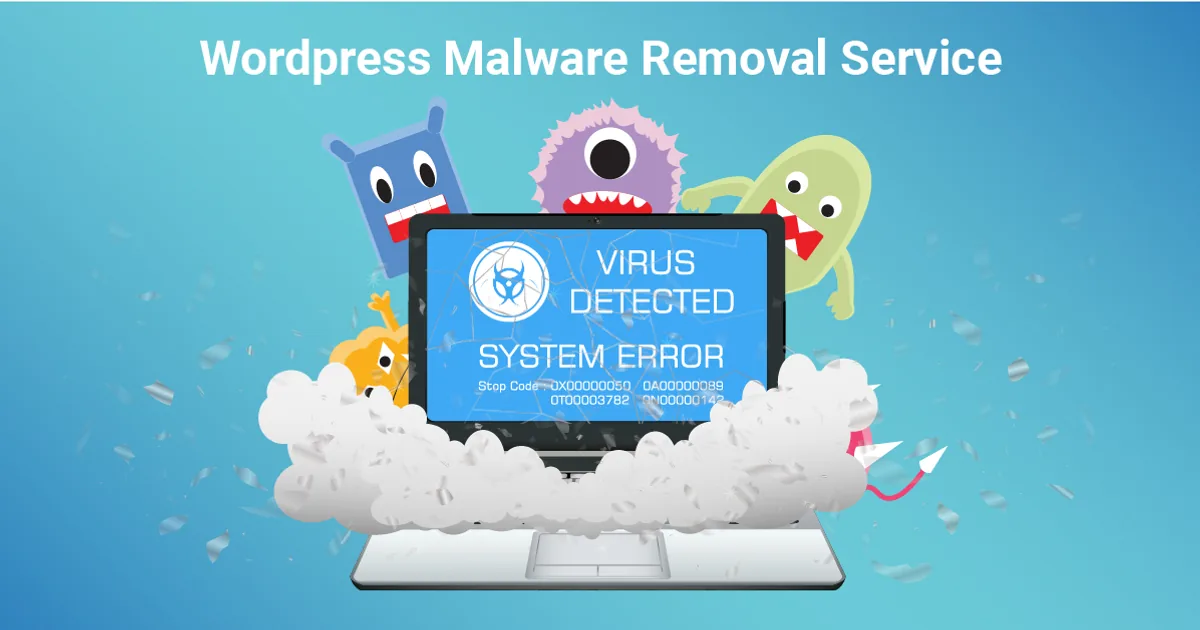
Most website owners find out about a hack from someone else: a customer saying the site opens a betting page on mobile, Google showing Japanese text under your business name, or Chrome putting a red "Deceptive site ahead" warning in front of your homepage. By then the malware has usually been there for days or weeks.
If your WordPress site has been hacked, this guide walks you through what to do in the first hour, how a proper cleanup works, how to get Google warnings removed, and how to stop it happening again. It is written for business owners in Delhi NCR, but the steps apply to any WordPress site.
Signs Your WordPress Site Is Hacked
Some infections are obvious. Many are designed to stay hidden from the site owner while showing spam to visitors and Google.
- Visitors from Google or mobile are redirected to gambling, pharma or adult sites, but the site looks normal when you type the address directly
- Google search results show your site with Japanese or unrelated product text
- Chrome or Google Search shows "This site may be hacked" or "Deceptive site ahead"
- New admin users you did not create
- Your hosting provider suspends the account or warns about high resource use
- Unknown PHP files appear in the uploads folder
- Your contact form sends spam, or your domain's emails start landing in spam
- Search Console reports a security issue or a sudden spike in indexed pages
A quick check: search Google for site:yourdomain.com and scroll through the results. Pages you never created are a strong sign of an SEO spam hack.
What to Do in the First Hour
Do not panic and do not start deleting files at random. Take these steps in order.
- Take a full backup of the infected site. Files and database. It sounds odd, but you need a copy to investigate, and a careless cleanup can break the site completely.
- Change passwords for hosting, cPanel, FTP/SFTP, the database and every WordPress administrator. Do this from a clean computer.
- Check for unknown administrators and remove them.
- Tell your hosting provider. Many hosts can show you access logs and help isolate the account.
- Do not restore an old backup blindly. If you do not know when the infection started, the backup may already contain it, and the hole that let the attacker in will still be open.
If customer data such as names, phone numbers or payment details may have been exposed, speak to your legal adviser about your obligations under India's data protection rules and CERT-In reporting directions.
How We Clean a Hacked WordPress Site
A real cleanup removes the malware, finds how the attacker got in, and closes that door. Removing the visible symptom alone usually leads to reinfection within weeks.
1. Scan and compare against clean copies
WordPress core files and plugins from the official directory can be checked against known-good versions. With WP-CLI, that looks like this:
# Compare core files with the official WordPress release
wp core verify-checksums

# Compare plugins from wordpress.org with their official versions
wp plugin verify-checksums --all

# List every administrator account
wp user list --role=administrator

# PHP files should never live in the uploads folder
find wp-content/uploads -name "*.php"

# PHP files changed in the last 7 days
find . -name "*.php" -mtime -7
Any modified core file, unknown plugin file or PHP script in uploads needs a closer look.
2. Check the places attackers hide code
wp-config.phpand.htaccessfor injected redirects- The
mu-pluginsfolder, which loads automatically and does not show in the normal plugin list - Theme files, especially
functions.php,header.phpandfooter.php - The database: injected scripts in posts, widgets and the options table, and fake admin users
- Scheduled tasks (
wp cron event list) that re-create malware after you delete it
3. Replace instead of patch
Core WordPress files, plugins and themes are reinstalled from fresh, official copies. Patching an infected file line by line leaves room for missed code.
4. Find the entry point
Common causes we see:
- Outdated plugins or themes with known vulnerabilities
- Nulled (pirated) premium themes and plugins, which often ship with backdoors
- Weak or reused admin passwords
- Old, forgotten WordPress installs on the same hosting account
- Shared hosting where one infected site spreads to others
5. Reset secrets and sessions
Change database credentials and regenerate WordPress security keys so that every existing login session is ended:
wp config shuffle-salts
Getting Google Warnings Removed
Once the site is clean, Google needs to know.
- Open Google Search Console and go to Security issues under Security & Manual Actions.
- Confirm the listed issues are fixed, including the sample URLs Google shows.
- Click Request review and describe what you found and what you fixed.
- For spam pages that were created by the hack, make sure they now return a 404 or 410 status, and remove them from your sitemap.
Reviews for hacked-site warnings commonly take a few days. Spam pages may continue to appear in search results for some time while Google recrawls them.
Hardening: Stop It Happening Again
- Keep WordPress core, themes and plugins updated, and remove anything you do not use
- Use licensed themes and plugins only
- Enforce strong passwords and two-factor login for administrators
- Limit login attempts and change default admin usernames
- Disable file editing in the dashboard with
define('DISALLOW_FILE_EDIT', true);inwp-config.php - Set correct file permissions and block PHP execution in the uploads folder
- Use a web application firewall, at the server or through a service such as Cloudflare
- Keep daily off-site backups, and test that they restore
- Move each site to its own hosting account or container if several share one
Most of this belongs in a regular maintenance plan. See what a good website maintenance plan in India should include.
What Malware Removal Costs
The price depends on how deep the infection goes, not on how the site looks.
| Situation | What it involves | Typical cost range |
|---|---|---|
| Single site, simple infection | Scan, clean, update, harden | ₹3,000 – ₹8,000 |
| Redirect or SEO spam hack | Database cleanup, spam page removal, Google review | ₹6,000 – ₹15,000 |
| Multiple sites on one hosting account | Clean each site, isolate accounts | Quoted per site |
| Repeated reinfection or heavily modified site | Deep investigation, sometimes a rebuild | Quoted after a scan |
If the site is old, uses abandoned plugins and has been hacked more than once, a cleanup may only buy time. In that case a fresh build on a supported setup can cost less over a year. Our guide to website redesigning services explains how to rebuild without losing rankings.
Why Talk to INDOTREX
INDOTREX is a web development team in New Delhi that maintains and repairs WordPress sites for businesses across Delhi, Noida and Gurgaon. We tell you what we found, how the attacker got in and what we changed, in plain language. We do not use scare tactics, and we will tell you honestly if a rebuild makes more sense than another cleanup.
Site hacked right now? Send us your website address and what you are seeing. We will reply with a first assessment and a fixed price before starting.
Frequently Asked Questions
How do I know if my WordPress site has malware?
Common signs include redirects to spam sites, unknown admin users, Google showing "This site may be hacked", Japanese or pharma text in search results, and PHP files inside the uploads folder.
Can a security plugin remove all malware?
Security plugins help detect many infections, but they cannot always find custom backdoors or database injections, and they do not close the original entry point. A manual review is needed for most real infections.
How long does a WordPress malware cleanup take?
A simple cleanup usually takes a few hours to one working day. Deep infections or multiple sites on one account can take longer.
Will I lose my Google rankings after a hack?
Rankings can drop while warnings are shown or spam pages are indexed. Once the site is cleaned and Google's review is approved, rankings usually recover over the following weeks.
Why does my site keep getting hacked again?
Usually because the entry point was never fixed: an outdated plugin, a pirated theme, a leaked password or another infected site on the same hosting account.
Should I just restore a backup?
Only if you know the backup is clean and you have fixed how the attacker got in. Otherwise the site is likely to be reinfected.