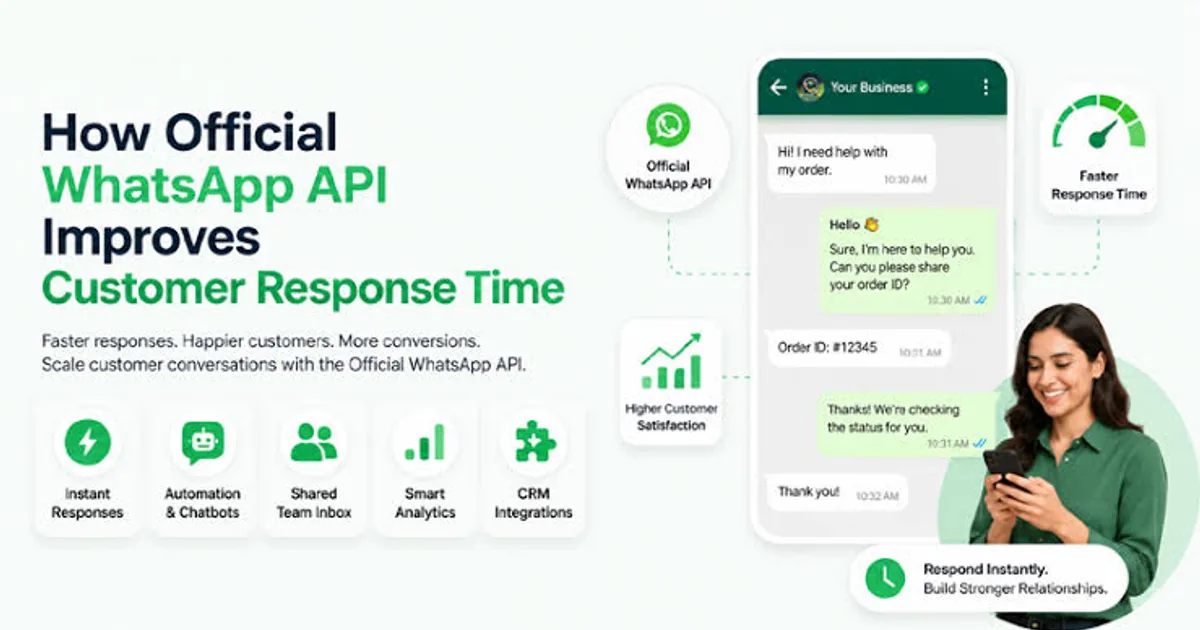

A customer messages your business at 11 pm asking whether a product is in stock, what the delivery charge to Faridabad is and whether you offer GST invoices. Nobody answers until morning. By then, they've messaged your competitor.
An AI chatbot built on a large language model API can answer those questions at any hour, in English, Hindi or Hinglish, using your own product and policy information. It won't replace your team. It handles the repeat questions so your people deal with the conversations that need a human.
This guide shows how an Indian SME can set one up properly: what to build, how to keep it from making things up, and what it costs to run.
What a Chatbot Can and Can't Do Well
Good at:
- Answering FAQs: pricing, timings, delivery areas, return policy, documents needed
- Qualifying leads: asking budget, location and requirement, then passing a summary to sales
- Order status lookups, when connected to your system
- Booking appointments and collecting details
- Replying in the customer's language, including mixed Hinglish
Bad at, unless you build guardrails:
- Anything involving money decisions: refunds, discounts, price changes
- Legal, medical or financial advice
- Answers that aren't in your documents. Left alone, a model will sometimes guess confidently.
Design the bot to say "I'm not sure, let me connect you with our team" instead of improvising.
The Architecture in Plain Terms
You don't need a complicated setup. A working support bot has four parts:
- A channel. Your website chat widget, WhatsApp Business API, or both. WhatsApp matters most for Indian customers. We covered the setup side in our WhatsApp API automation guide.
- Your knowledge. A document with your policies, product details, pricing rules and tone of voice. Keep it accurate and current.
- The model API. Claude from Anthropic, Gemini from Google, or another provider. The server calls it, never the customer's browser.
- Handover and logging. A route to a human, plus a record of conversations so you can improve answers.
For a small business with a modest knowledge base (a few dozen pages), you can put the whole knowledge document in the system prompt. You only need retrieval, which finds relevant chunks from a larger store, when your content gets too big to fit comfortably.
A Working Example With the Claude API
Here's a Next.js route handler that takes a customer message and answers from your knowledge base. The API key stays on the server.
// app/api/chat/route.ts
import Anthropic from "@anthropic-ai/sdk";
import { NextResponse } from "next/server";
import { knowledgeBase } from "@/lib/knowledge";

const client = new Anthropic(); // reads ANTHROPIC_API_KEY from the environment

const SYSTEM = `You are the support assistant for Sharma Auto Parts, Delhi.
Answer only from the business information below. Reply in the customer's language
(English, Hindi or Hinglish). Keep answers short and polite.
If the answer is not in the information, or the customer asks for a refund, a
discount, or to speak to a person, say you will connect them with the team and
ask for their name and phone number. Never invent prices, stock or delivery times.

BUSINESS INFORMATION
${knowledgeBase}`;

type ChatMessage = { role: "user" | "assistant"; content: string };

export async function POST(request: Request) {
  const { messages } = (await request.json()) as { messages: ChatMessage[] };

  // Keep the last few turns only, to control cost and avoid abuse
  const recent = messages.slice(-10).map((m) => ({
    role: m.role,
    content: m.content.slice(0, 1000),
  }));

  try {
    const response = await client.messages.create({
      model: "claude-opus-5-5",
      max_tokens: 1024,
      output_config: { effort: "low" }, // support answers don't need deep reasoning
      system: [
        // Cache the long, unchanging prompt so repeat calls cost less
        { type: "text", text: SYSTEM, cache_control: { type: "ephemeral" } },
      ],
      messages: recent,
    });

    if (response.stop_reason === "refusal") {
      return NextResponse.json({
        reply: "Sorry, I can't help with that here. Our team will get back to you.",
      });
    }

    const reply = response.content
      .filter((block): block is Anthropic.TextBlock => block.type === "text")
      .map((block) => block.text)
      .join("");

    return NextResponse.json({ reply });
  } catch (error) {
    if (error instanceof Anthropic.RateLimitError) {
      return NextResponse.json({ reply: "We're busy right now. Please try again shortly." });
    }
    console.error("Chat error", error);
    return NextResponse.json({ reply: "Something went wrong. Please call us." }, { status: 500 });
  }
}
A few choices in this code matter:
- The key never reaches the browser. Anyone with it can run up your bill.
- Only recent messages are sent, and each is length-capped. Long histories cost more, and open endpoints get abused.
- The system prompt is cached. Anthropic's prompt caching bills repeated prefixes at a fraction of the normal rate, which helps when every request carries the same long knowledge base.
- Failure paths are handled. A rate limit or an error gives the customer a human fallback instead of a blank box.
Model names and options change often, so check the current API documentation before you build. The same structure works with Google's Gemini API. Only the client library and call change.
Keep It From Making Things Up
This is the most important part of the build.
- Write the knowledge document carefully. If your return policy says "7 days" in one place and "10 days" in another, the bot will too.
- Tell it what to do when it doesn't know. The prompt above does this explicitly.
- Test with hard questions. Ask about products you don't sell, ask for a 50 percent discount, ask it to ignore its instructions. Fix what breaks.
- Don't give it write access to orders, refunds or prices at first. Read-only first, then add actions with approvals.
- Log conversations (with a privacy notice) and review them weekly for the first month.
Privacy and Compliance
You're handling customer messages and phone numbers, so:
- Put a short notice in the chat widget saying it's an AI assistant and how messages are used
- Don't send Aadhaar, PAN, card or bank details to the model. Detect and mask them before the call.
- Check your provider's data retention terms and choose settings that match your needs
- Follow the Digital Personal Data Protection Act principles: collect only what you need and allow deletion on request
What It Costs
Two kinds of cost: building and running.
| Item | Typical range |
|---|---|
| Website chatbot with knowledge base and handover | ₹50,000 to ₹1,50,000 |
| WhatsApp bot with CRM integration and lead capture | ₹1,00,000 to ₹3,00,000 |
| Order lookups and action integrations | ₹2,00,000 and above |
| WhatsApp Business API provider fees | Per-conversation charges plus a platform fee |
| Model API usage | Often ₹1,000 to ₹15,000 a month for an SME |
Model costs depend on volume, message length and which model you choose. Smaller, cheaper models handle routine FAQ traffic well, while larger ones suit complicated reasoning. Run a test month with real traffic before you project a number. Using a cheaper tier for simple questions and escalating only the hard ones is a common way to keep bills low.
Where to Start
Don't automate everything. Pull the last 200 customer messages and sort them. You'll usually find that 15 to 25 questions account for most of the volume. Build the bot for those first, measure how many it resolves without a human, and widen from there.
What To Do Next
Write down your top 20 customer questions with the correct answers. That document is your chatbot's brain, and getting it right matters more than which model you use.
INDOTREX builds AI chatbots and business automation for Indian SMEs, wired into your website, WhatsApp and CRM, with handover and monitoring included. Talk to us with your question list and we'll show you what a pilot would look like.