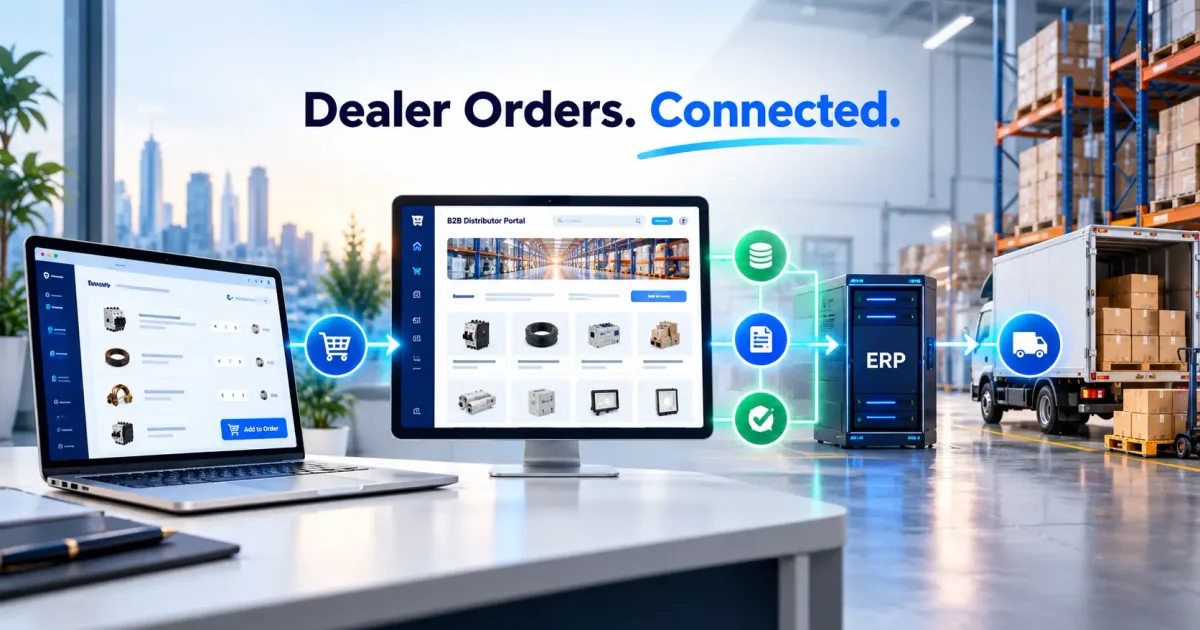
Walk into most manufacturing, trading, or logistics businesses across Delhi NCR and you'll find the same thing running the show: a folder full of spreadsheets. Purchase orders in one file, inventory in another, customer follow-ups in a WhatsApp chat, invoicing in a third tool entirely. It works — until it doesn't.
Excel isn't the problem on day one. It becomes the problem once your order volume, SKU count, or team size outgrows what one person can manually track and reconcile across a dozen tabs. That's usually the point where businesses start looking at custom CRM and ERP software — and the time savings, once it's in place, are bigger than most owners expect.
Where Excel Actually Breaks Down
Spreadsheets are genuinely great for a lot of things. They tend to break down specifically around:
- Multiple people editing the same file — version conflicts, overwritten data, "final_v3_ACTUAL.xlsx" syndrome
- Real-time visibility — by the time a manager opens the file, the numbers are already a few hours stale
- Searchability at scale — finding one customer's order history across 40 monthly files isn't fast
- Automation — Excel can't automatically send a follow-up WhatsApp message, update stock after a sale, or flag an overdue payment
- Reporting — pulling a clean report across months of manually-formatted sheets eats hours every single time
None of these are dealbreakers for a 2-person operation. They become expensive the moment you're running a real team.
The 4+ Hours a Day We See Businesses Lose
When we audit a business's workflow before building their CRM/ERP, the time loss usually comes from the same handful of places:
| Task | Time Lost Daily (Typical) |
|---|---|
| Manually updating inventory across sheets after each sale | 45–60 min |
| Chasing payment follow-ups without automated reminders | 40–50 min |
| Re-entering the same customer/order data across tools | 30–45 min |
| Building reports manually for owners/managers | 45–60 min |
| Searching for past orders, invoices, or customer history | 30–40 min |
Add it up across a small team and 4+ hours a day isn't an exaggeration — it's often conservative. That's time your team could spend on sales, sourcing, or actually running the business, instead of data entry.
What Changes With a Custom CRM/ERP
A custom system — built around how your business actually operates, not a generic template — typically replaces Excel with:
1. A single source of truth. Orders, inventory, customers, and invoices live in one system that updates in real time, visible to everyone who needs it, without version-control chaos.
2. Automated workflows. Stock automatically decrements on a sale. Overdue invoices trigger automatic reminders. New leads automatically get assigned to a salesperson. The system does the follow-up your team used to do manually.
3. Role-based access. Your warehouse team sees inventory and dispatch. Your sales team sees leads and quotes. Your owner sees everything, including live reports — without anyone touching data they shouldn't.
4. Real dashboards, not manual reports. Revenue, pending payments, stock levels, and order status update live, so a manager can check the state of the business in seconds instead of waiting for someone to compile a report.
5. Built around your actual process. Off-the-shelf CRM/ERP tools often force your business to adapt to their workflow. A custom build does the opposite — it mirrors how your team already works, just without the manual steps.
Who This Makes the Biggest Difference For
In our experience building business automation and CRM/ERP systems for Delhi NCR businesses, the ROI is clearest for:
- Manufacturing and trading businesses juggling purchase orders, raw material stock, and multiple vendors
- Logistics and distribution companies tracking shipments, drivers, and delivery status across many orders a day
- B2B wholesalers managing bulk orders, credit terms, and recurring customers
- Service businesses scaling past the point where a founder can personally track every client in their head
If any of that sounds familiar, you've probably already felt the spreadsheet ceiling.
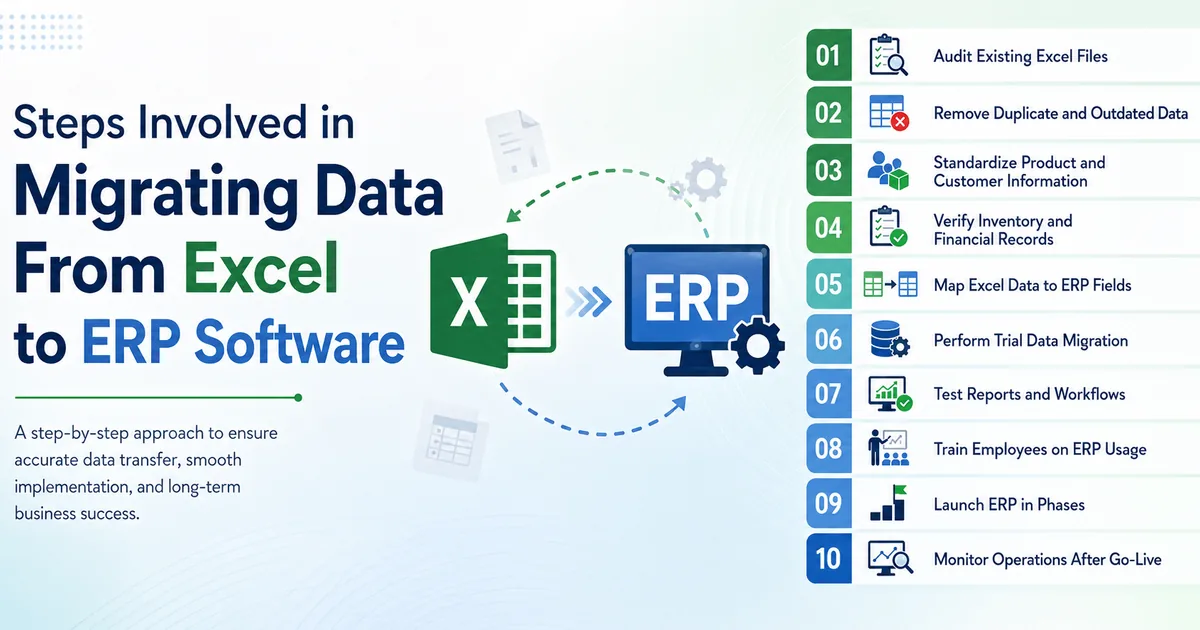
Excel to CRM/ERP: How the Migration Actually Works
Moving off spreadsheets doesn't mean losing your historical data or disrupting operations mid-flow. A proper migration looks like:
- Process audit — we map your current workflow across every spreadsheet and tool you're using today.
- System design — the CRM/ERP is designed around that actual workflow, not a generic off-the-shelf module set.
- Data migration — existing Excel data (customers, orders, inventory history) is cleaned and imported, so you're not starting from zero.
- Parallel run — for a short window, the new system and your old process run side by side, so your team gets comfortable before fully switching over.
- Team training and support — because a system your team doesn't trust is a system they'll quietly go back to Excel to avoid.
Is a Custom System Overkill for You?
Not every business needs a fully custom build — if your workflow is genuinely simple, a smart Excel setup or an off-the-shelf tool might be enough for now. The honest signal that you've outgrown spreadsheets: your team is spending more time maintaining the data than using it to make decisions.
If that's where you are, it's worth a conversation. We'll audit your current process and tell you plainly whether a custom CRM/ERP will actually save you meaningful time — or whether your current setup just needs better structure. Get in touch and we'll walk through it together.
Two specific places this pays off fast: automating customer follow-ups through WhatsApp API automation, and — if you're running a school rather than a business — our comparison of custom school management software vs readymade portals.