Most businesses don't decide to build an ERP because they love software. They decide because the current setup has started to hurt: stock figures that never match, orders lost between WhatsApp and Excel, Tally entries made three days late, and a founder who is the only person who knows what is actually going on.
Custom ERP software can fix that, but it is also one of the easiest software projects to get wrong. This guide explains when custom ERP development makes sense in India, when an off-the-shelf ERP is the better choice, which modules to start with, what it costs, and how to choose an ERP development company.
Custom ERP vs Off-the-Shelf ERP
There are good ready-made ERP and accounting products in India, including Tally, Zoho, Odoo, ERPNext, Busy and SAP Business One. Many businesses should start with one of these.
| Off-the-shelf ERP | Custom ERP | |
|---|---|---|
| Upfront cost | Lower | Higher |
| Ongoing cost | Per-user subscriptions or licences | Hosting and maintenance |
| Time to start | Days to weeks | Months |
| Fit with your process | You adapt to the software | Software adapts to you |
| Unique workflows | Limited, or costly customisation | Built exactly as needed |
| Ownership | Vendor's product | Your code and data |
| Scaling users | Cost grows per user | Usually no per-user fee |
Choose off-the-shelf when your processes are fairly standard (trading, simple manufacturing, services), you have a small team, and you need to go live quickly.
Choose custom when your workflow is genuinely different from the standard, such as job-work with multiple processes, made-to-order products with complex costing, multi-location dealer networks, or industry-specific steps, or when per-user licence costs for a large team are becoming a burden.
There is also a middle path: keep Tally or Zoho for accounting and build a custom system for operations (orders, production, inventory, dispatch) that syncs with it. For many Indian SMEs, this is the most practical option.
Signs Your Business Needs an ERP
- The same data is typed into Excel, Tally and WhatsApp by different people
- Nobody trusts the stock figures, so someone physically checks before confirming orders
- Month-end closing takes days of reconciliation
- Orders, dispatches or payments fall through the cracks
- Owners cannot see sales, stock and receivables without asking three people
- Adding a new branch or warehouse feels impossible with the current setup
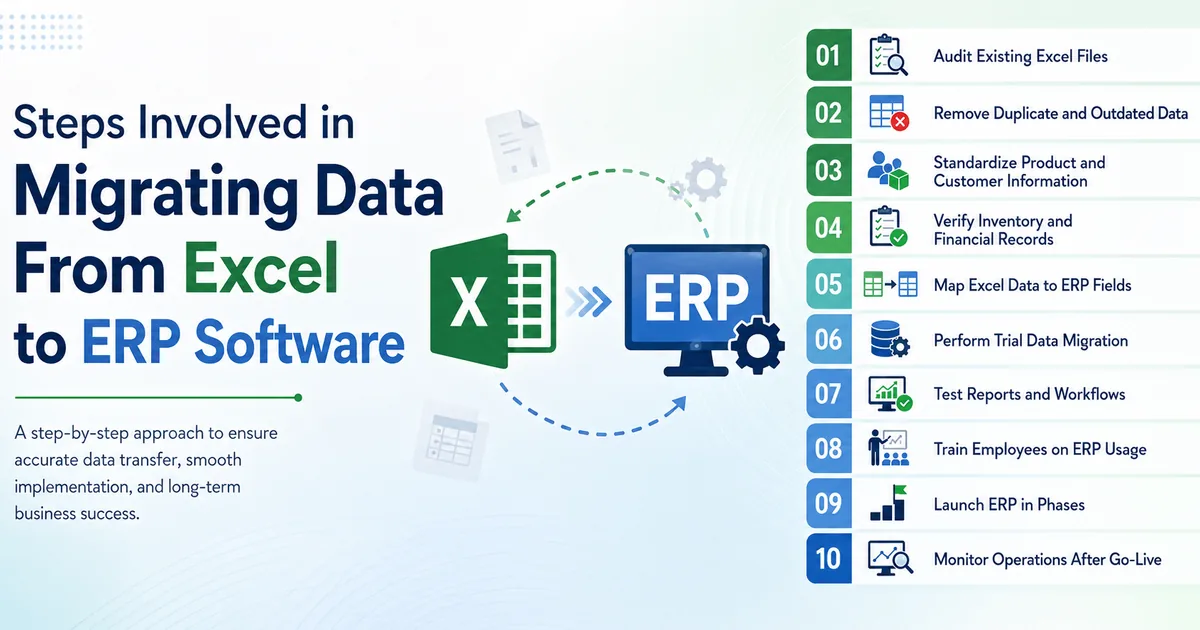
If this sounds familiar and you are still on spreadsheets, start with our guide to moving from Excel to a custom CRM or ERP.
Common ERP Modules
You rarely need all of these on day one.
| Module | What it handles |
|---|---|
| Sales and CRM | Leads, quotations, sales orders, customer accounts |
| Purchase | Vendors, purchase orders, goods received, purchase bills |
| Inventory and warehouse | Stock by location, batches, serial numbers, transfers, reorder levels |
| Production / manufacturing | Bill of materials, work orders, job work, wastage, costing |
| Dispatch and logistics | Packing, invoices, e-way bills, transporter details, delivery status |
| Accounts integration | Sync with Tally or Zoho, receivables, payables, GST reports |
| HR and payroll | Attendance, leave, salary, contractor records |
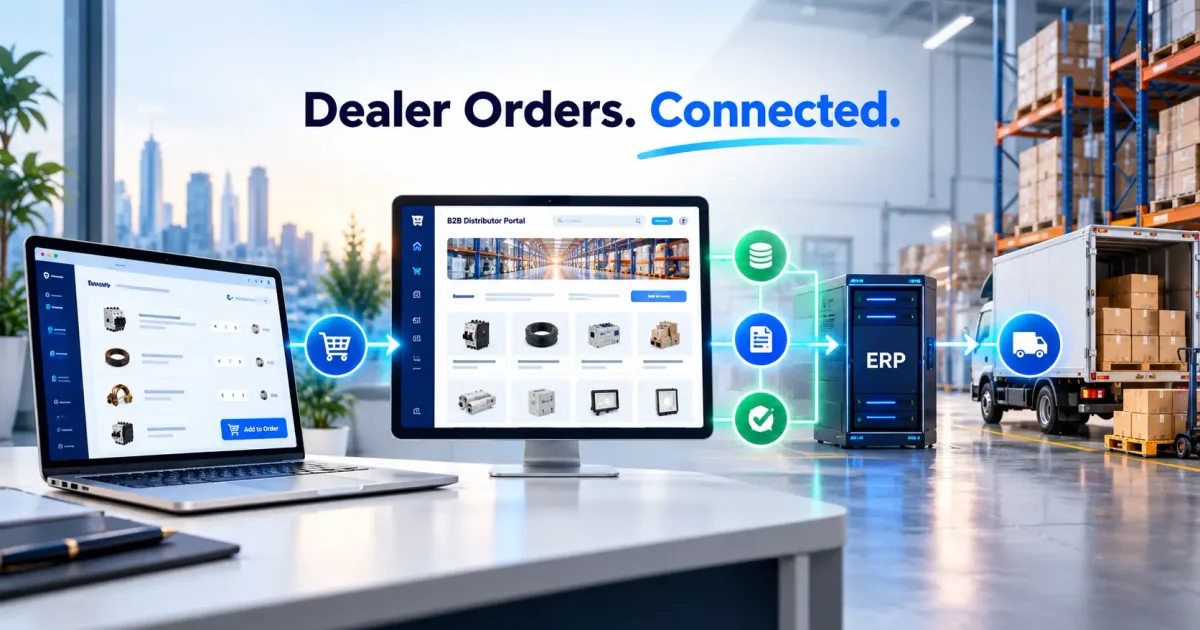
| Dealer / distributor portal | Orders, price lists, outstanding balances, schemes |
| Reports and dashboards | Sales, margins, stock ageing, receivables and production efficiency |
Start Small: Build in Phases
The most successful ERP projects we see are built in phases, not delivered as one giant system.
- Phase 1 (6–10 weeks): the module that hurts most, often sales orders, inventory and dispatch, plus the Tally or accounting sync.
- Phase 2: purchase and production, once phase 1 is in daily use.
- Phase 3: dealer portal, mobile app for field staff, advanced reports.
Each phase goes live and gets used before the next starts. This keeps budgets under control and means the later modules are designed around real feedback, not assumptions made months earlier.
Indian Integrations to Plan For
- Tally or Zoho Books: two-way or one-way sync of invoices, payments and ledgers
- GST: GST-compliant invoices, and e-invoicing (IRN and QR code) if your turnover requires it
- E-way bills: generated from dispatch data
- Payment gateways and UPI: for dealer portals or online payments
- WhatsApp and SMS: order confirmations, dispatch updates and payment reminders
- Barcode and QR scanning: for stock movement and dispatch
- Weighing scales, biometric attendance or machines: where relevant
Government APIs for e-invoicing and e-way bills are usually accessed through an authorised provider, depending on your setup. Plan this with your CA and development team early.
How a Custom ERP Project Should Run
- Process study. Sit with each department, map how work actually moves, and note where it breaks.
- Scope and priorities. Agree on modules, users, reports and integrations for phase 1, in writing.
- Prototype. Clickable screens for key workflows, reviewed by the people who will use them daily, not only the owner.
- Development in short cycles. Working features shown every one or two weeks.
- Data migration. Cleaning and importing customers, products, stock and opening balances.
- Testing with real scenarios. A full order-to-dispatch-to-invoice cycle with real data.
- Training and go-live. Department by department, with support on the ground for the first weeks.
- Support and improvements. Bug fixes, small changes and the next phase.
Expect the people side to take as much effort as the software. An ERP only works if staff actually use it instead of keeping their old Excel sheets "just in case".
Technology Choices
A modern custom ERP is typically a web application that runs in the browser, with an optional mobile app for field or warehouse staff.
- Frontend: React or Next.js for fast, responsive screens
- Backend: Node.js, Laravel or Python, with a relational database such as PostgreSQL or MySQL
- Hosting: a cloud server in India, or on-premise if you need it
- Security: role-based access, audit logs of who changed what, regular backups
The exact stack matters less than clean design, good documentation and a team that will still be around to support it.
What Custom ERP Development Costs in India
These are typical ranges for 2026. Your cost depends on the number of modules, users, locations and integrations.
| Scope | Typical cost | Timeline |
|---|---|---|
| Focused system (1–3 modules, e.g. orders, inventory, dispatch) | ₹1,00,000 – ₹3,00,000 | 1–3 months |
| Mid-size ERP (5–8 modules, accounting sync, reports) | ₹3,00,000 – ₹6,00,000 | 3–5 months |
| Multi-location or manufacturing ERP with portals and apps | ₹6,00,000 – ₹10,00,000 | 5–8 months |
Ongoing costs include cloud hosting, maintenance, and improvements. Compare these honestly with the yearly per-user cost of an off-the-shelf product over five years before deciding.
How to Choose an ERP Development Company
- Ask to see a working system they have built, not just screenshots
- Ask how they handle data migration and Tally integration
- Check that you will own the source code, database and cloud accounts
- Ask who will support the system after launch, and at what cost
- Prefer a company that recommends a phased plan over one promising everything in one go
- Be wary of anyone who agrees to every requirement without asking why you need it
Why Talk to INDOTREX
INDOTREX builds custom ERP, CRM and business automation systems for manufacturers, traders and service companies across India from our New Delhi office. We start with a process study, recommend off-the-shelf tools where they fit, and build custom only where it pays for itself. Projects are delivered in phases, and you own the code and data.
Book a free process consultation. Tell us your industry, team size and the problems you want to solve, and we will reply within two business days with an honest recommendation.
Frequently Asked Questions
How much does custom ERP software cost in India?
A focused custom system with one to three modules typically costs ₹1 lakh to ₹3 lakh. Mid-size ERPs cost ₹3 lakh to ₹6 lakh, and multi-location manufacturing ERPs ₹6 lakh to ₹10 lakh.
Is custom ERP better than Tally or Zoho?
Not always. Off-the-shelf tools suit standard processes and small teams. Custom ERP is better for unique workflows or large teams where per-user costs add up. Many businesses use both, with a custom operations system synced to Tally.
How long does it take to build an ERP?
A focused first phase usually takes one to three months. A full ERP is typically delivered in phases over four to eight months.
Can a custom ERP integrate with Tally?
Yes. Invoices, payments and ledgers can be synced between a custom ERP and Tally, so your accountant keeps working in Tally.
Can the ERP generate e-invoices and e-way bills?
Yes, through integration with the GST systems, usually via an authorised provider. This is planned with your CA based on your turnover and requirements.
Will I own the ERP software?
With a custom build, you should own the source code, database and hosting accounts. Make sure the contract says so.